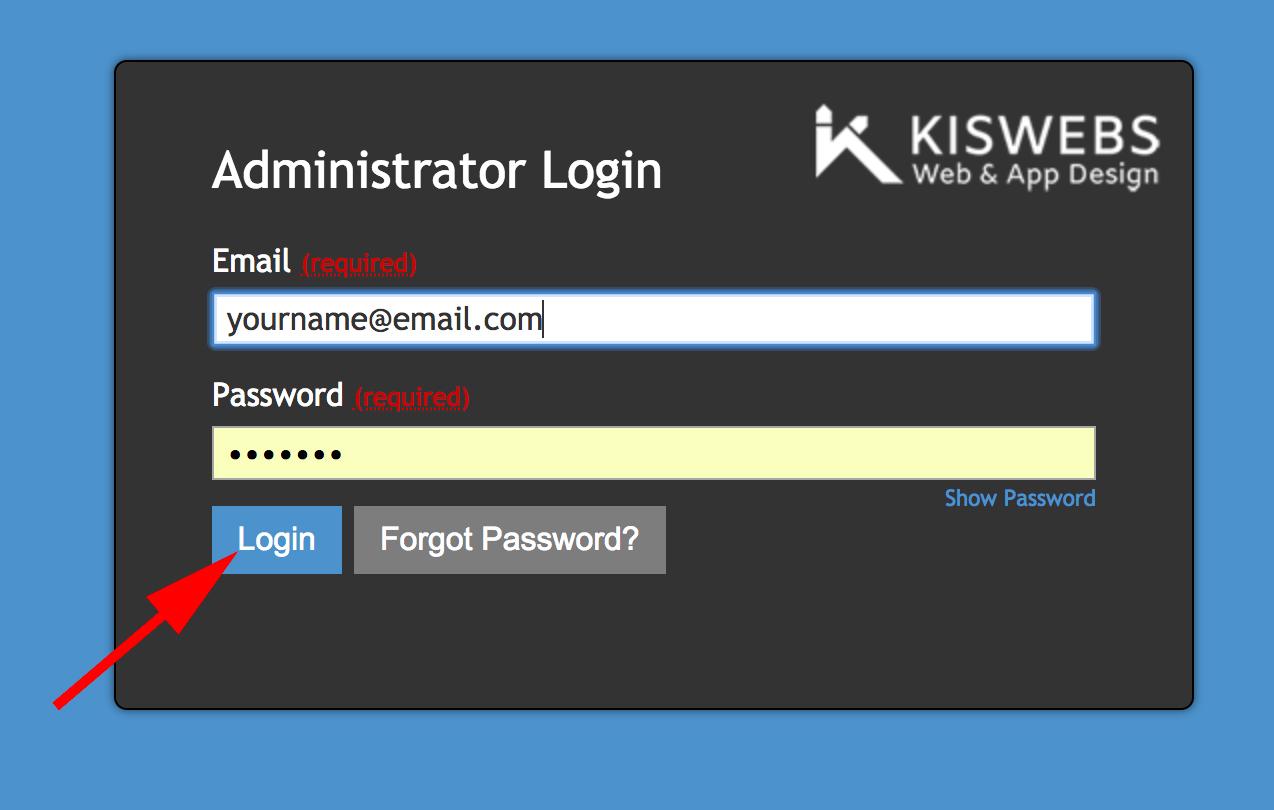
Step 1: Login to your website with your username and password.
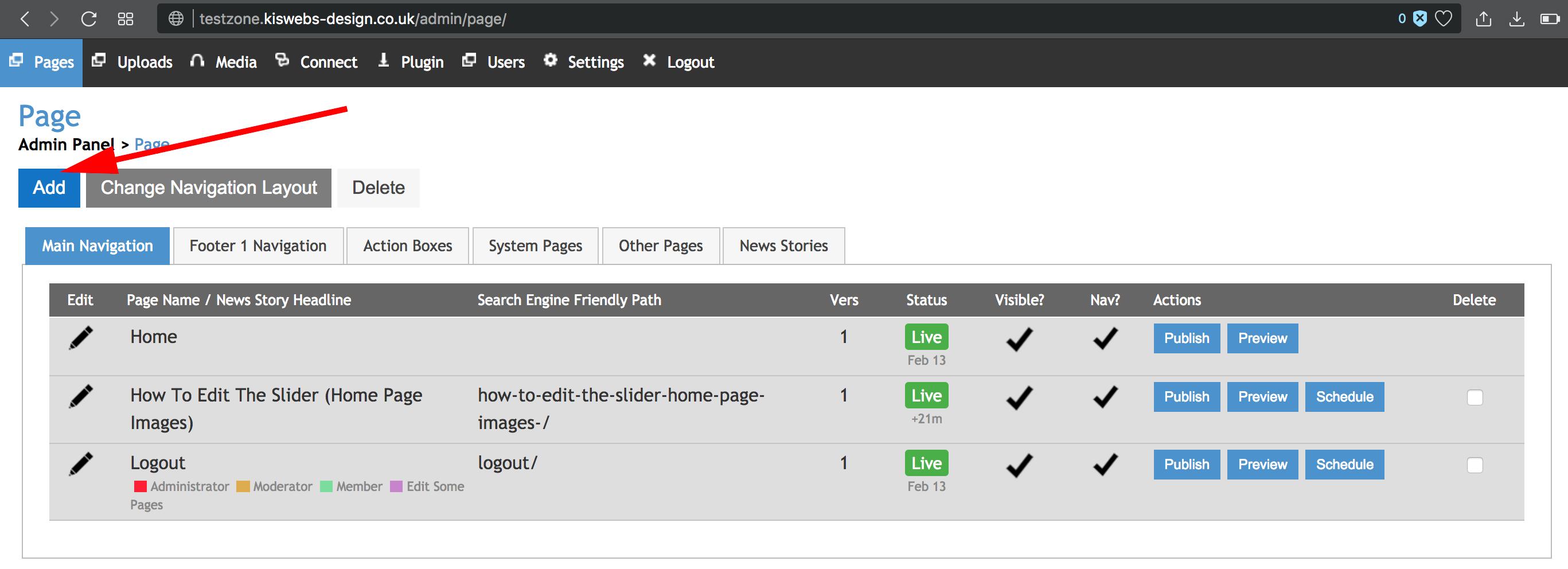
Step 2: The first thing you see will be the place where you can create and edit pages (notice the highlighted tab in the top left corner, if you ever have to return to Pages, click this).
To create a new page, click the 'Add' button highlighted below.
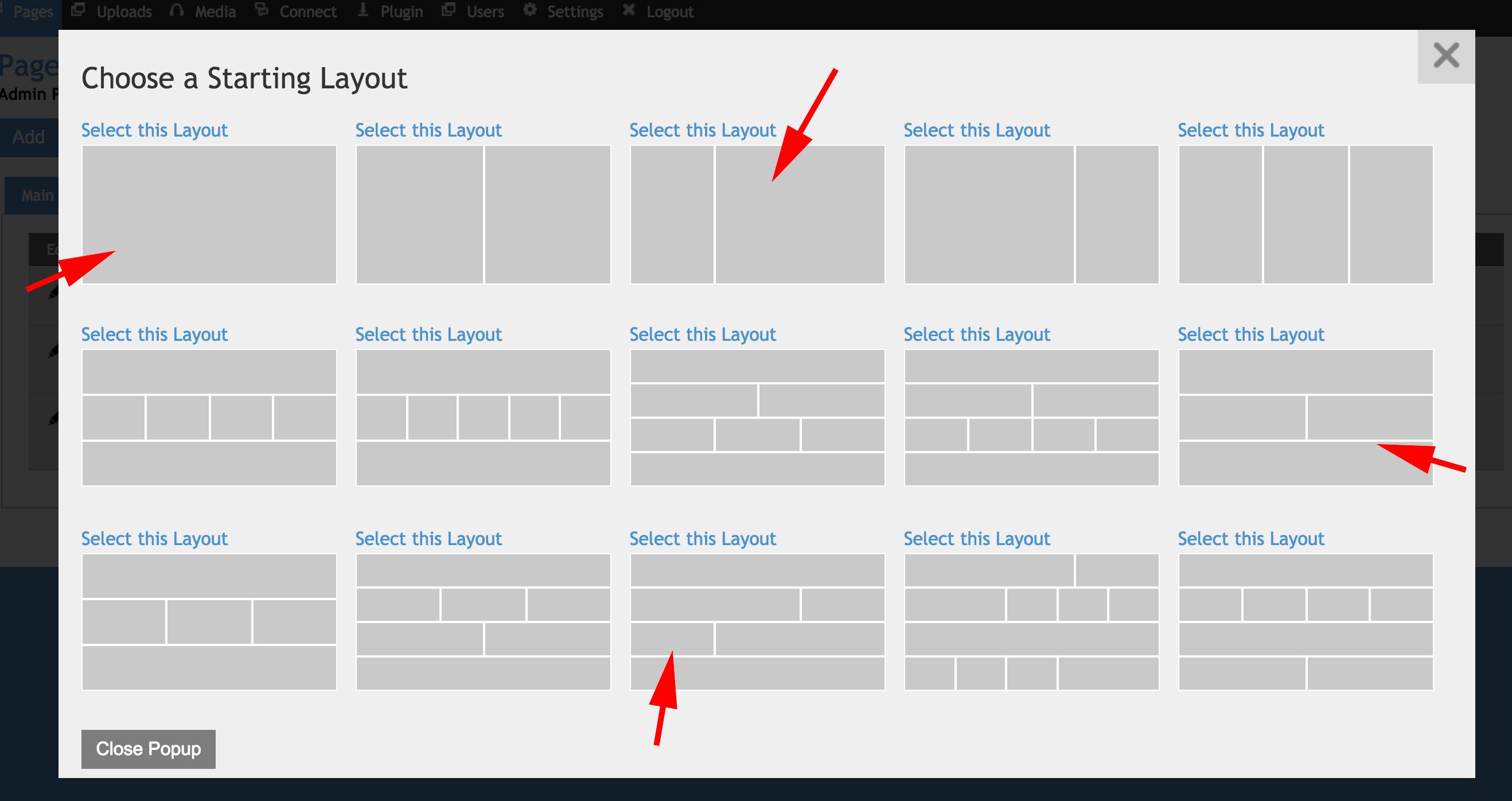
Step 3: You will be presented with a variety of layout options to select from. These are different arrangements of sections which you can populate with text and image content. (You are also able to edit the layouts later using the special layout tool to the left of the content boxes).
Click on your preferred layout.
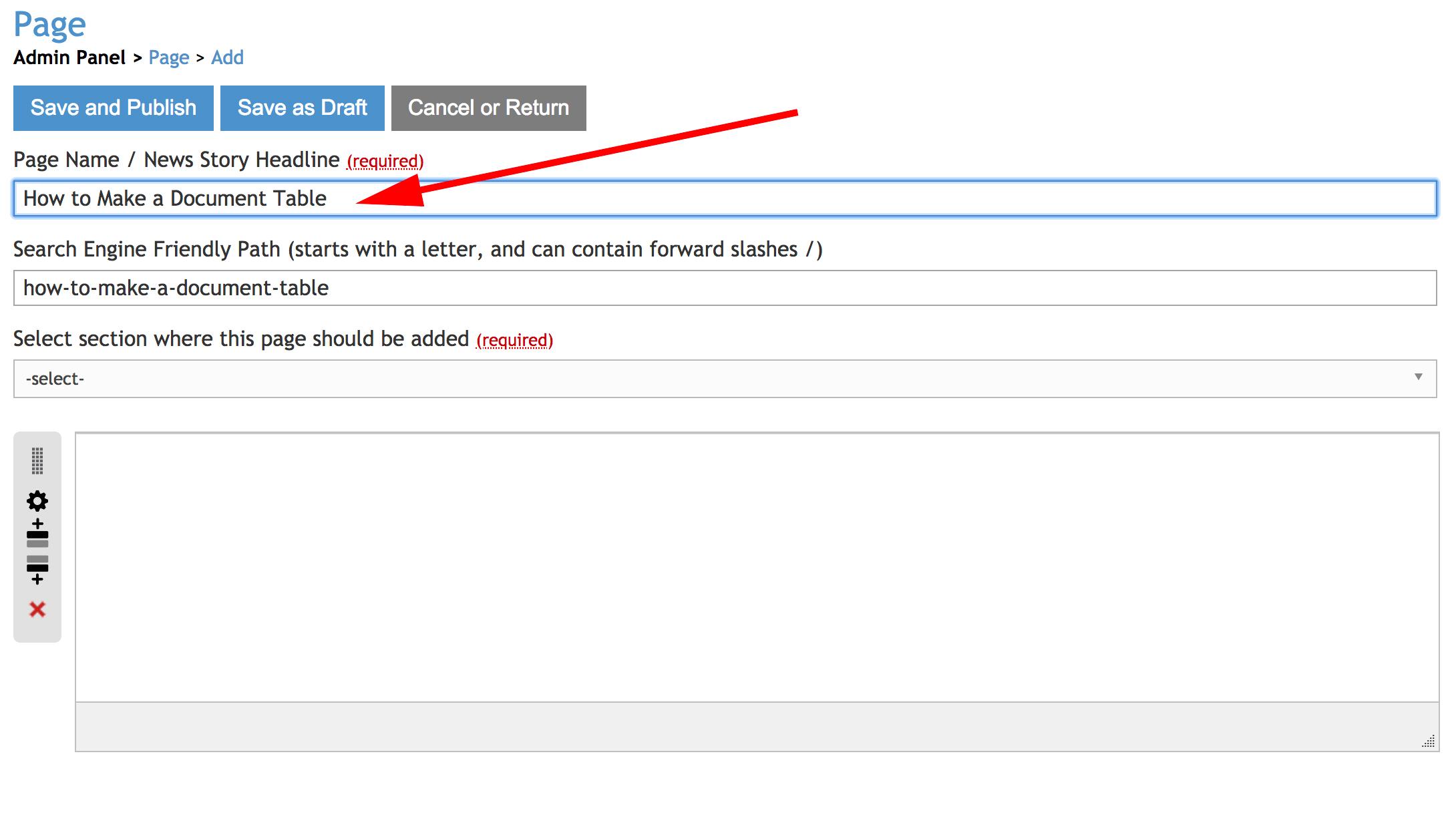
Step 4: The highlighted box below titled 'Page Name' is where you will enter the Title you want the page to have. (my example has been titled 'How to Make a Document Table', take note of where that appears once you select the navigation in further steps)
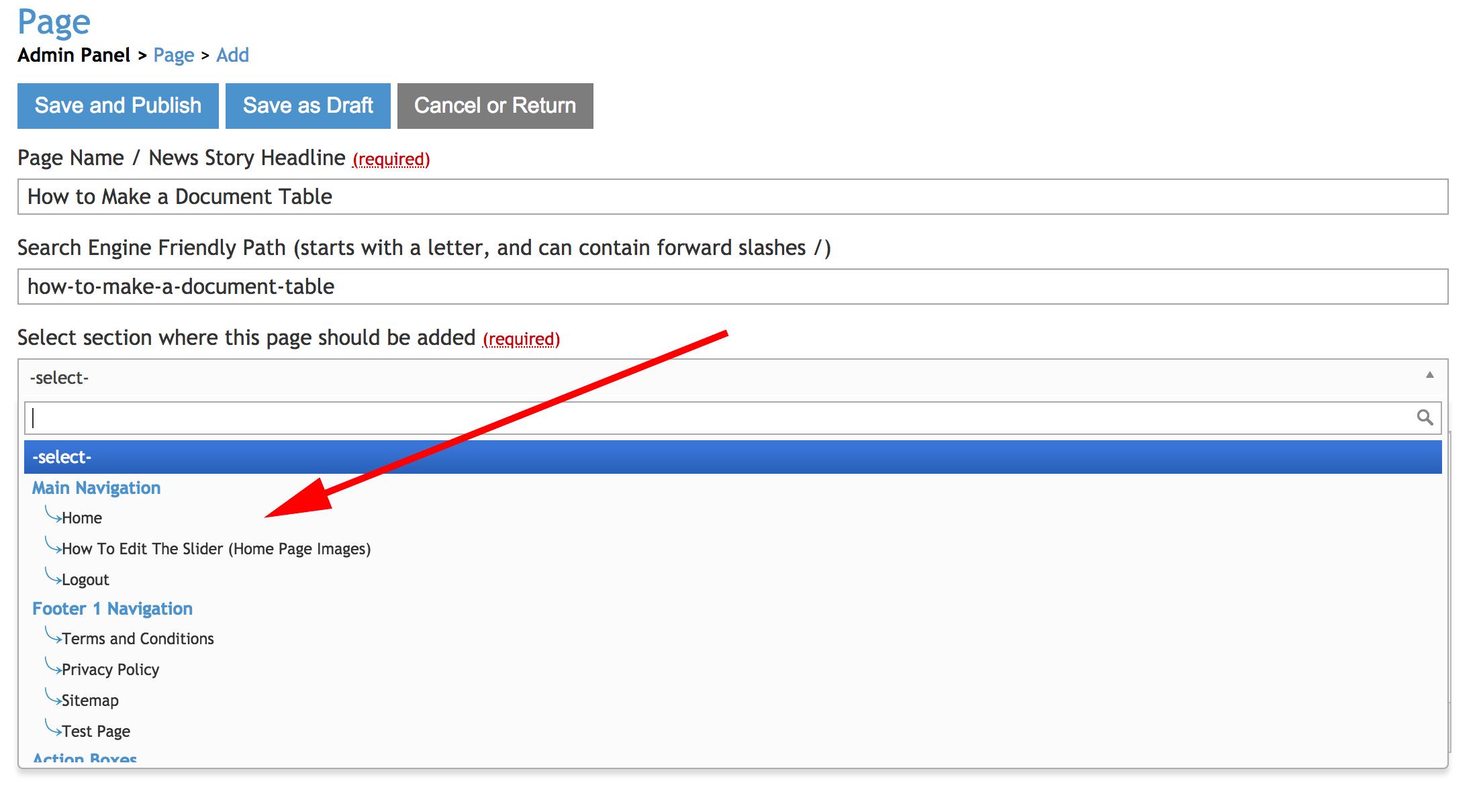
Step 5: Select the drop down called 'Select section where this page should be added' to see the options of where to locate the page, you will be able to make it part of the main navigation (along the top) or make it an Action Box.
The option you will likely use the most however is selecting a page to make it a sub-page of the one you select. (e.g. select 'how to edit the slider' to make your new page a sub-page of 'how to edit the slider').
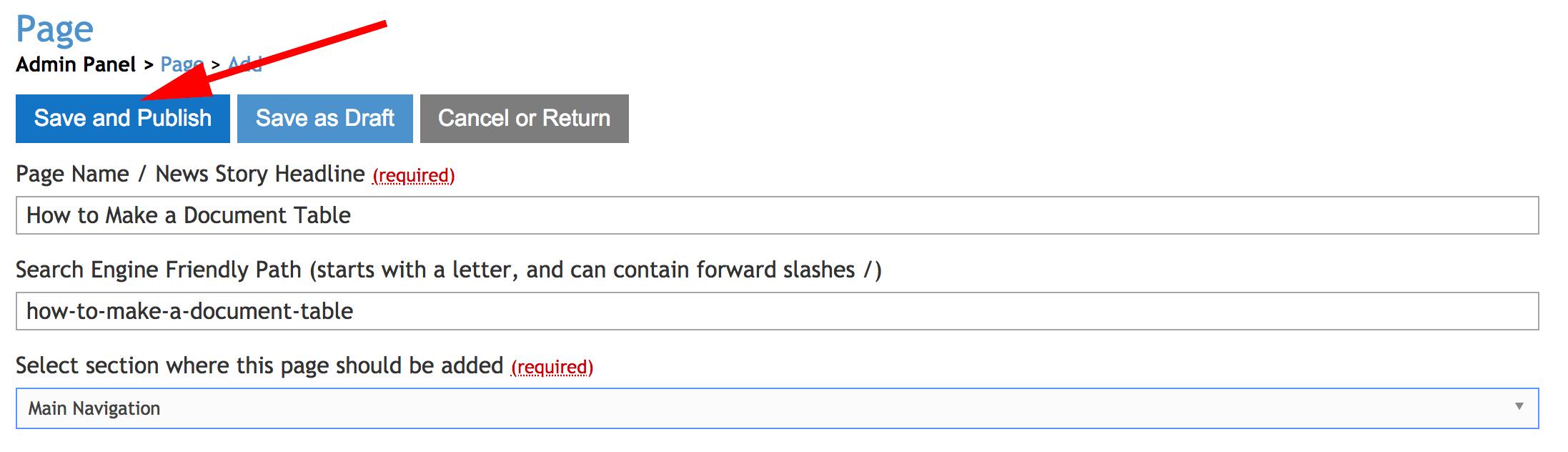
In this case I selected Main Navigation, in order to make the new page (titled 'How to make a document Table') one of the main pages you see above the Action Boxes.
Step 6: In order to finish creating a page and make it go live (you can return to edit it and add the content at any time) select the button 'Save and Publish' highlighted below.
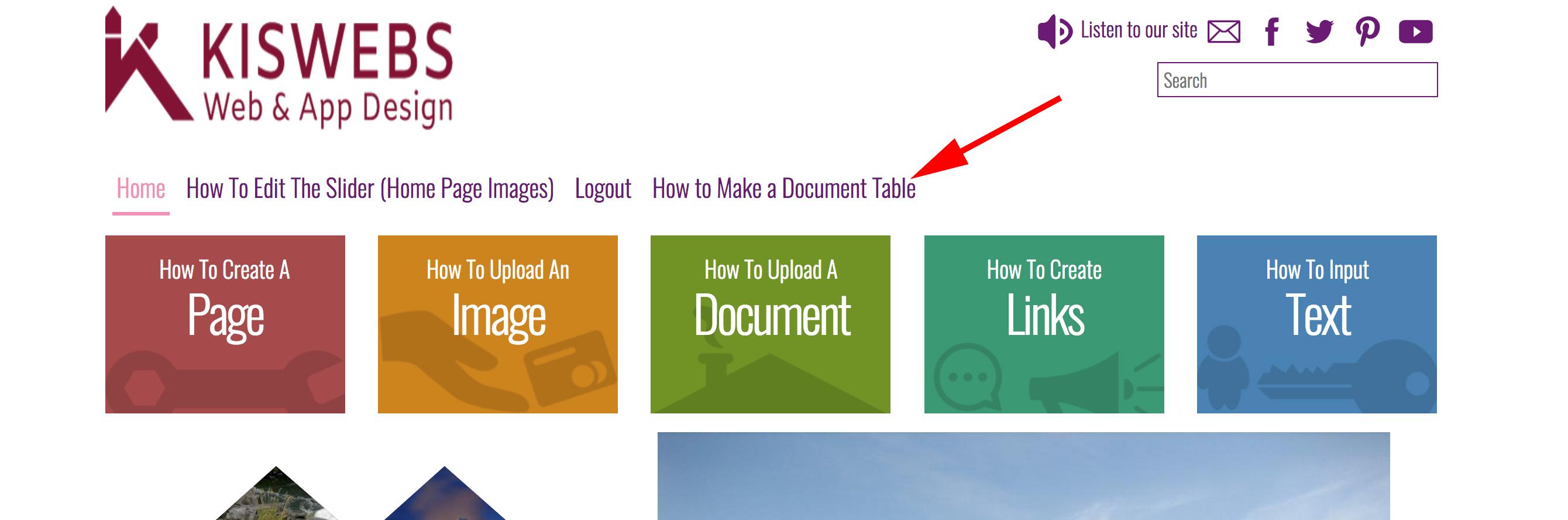
Step 7: Your new page will be live and visible in the location you selected for it, in this case i chose Main Navigation, see highlighted below where this is located.