Step 1: In order for User Roles to work properly you must first add a login section to your website which these users could access.
To do this you must select the page you want the login section to be on.
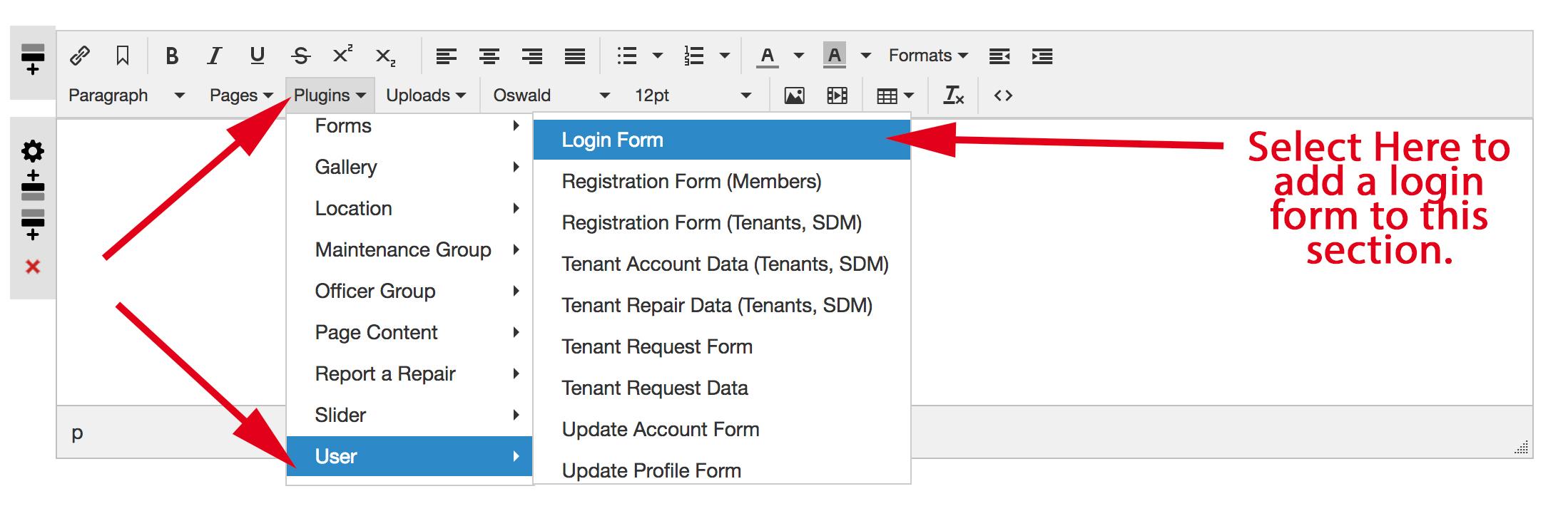
Select 'Plugins'
Select 'User'
Select 'Login Form' (This will add the login form to the content box you are currently working on, like the one you see below).
After the user has logged in, any pages/information that is specific to their role will become available to access.
Below is an indication of how you put the login form onto your page.
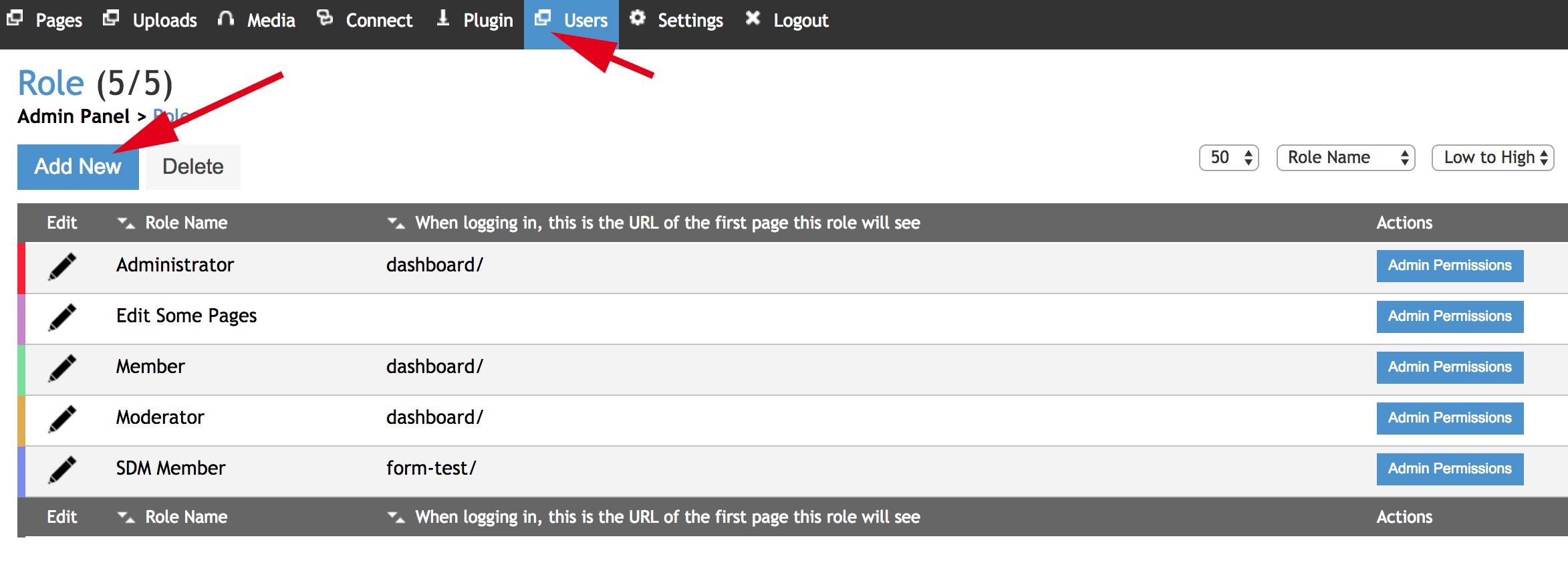
Step 2: Once you are logged in select Users, then Roles (As indicated below) to be taken to the roles section.
Step 3: Click 'Add New' to create a new type of User Role, or 'Admin Permissions' to edit the permissions that role has.
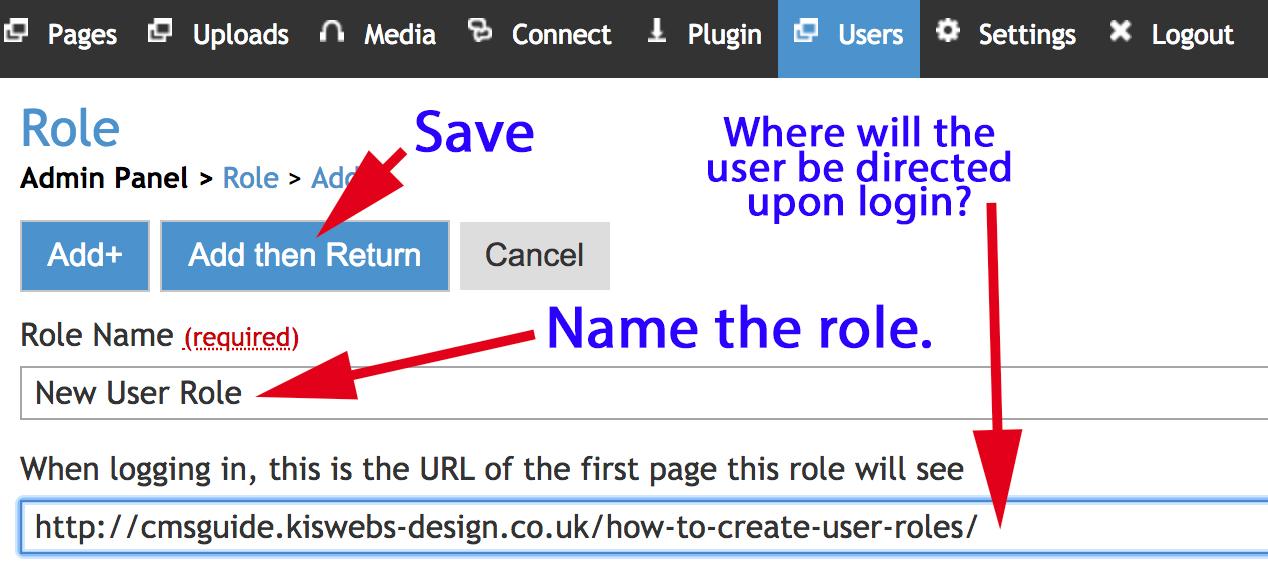
Step 4: Name your new role and input the URL of the page you wish the user to be taken too upon login (this can be left blank, it does not need to redirect anywhere, but it can and often is used in that way)