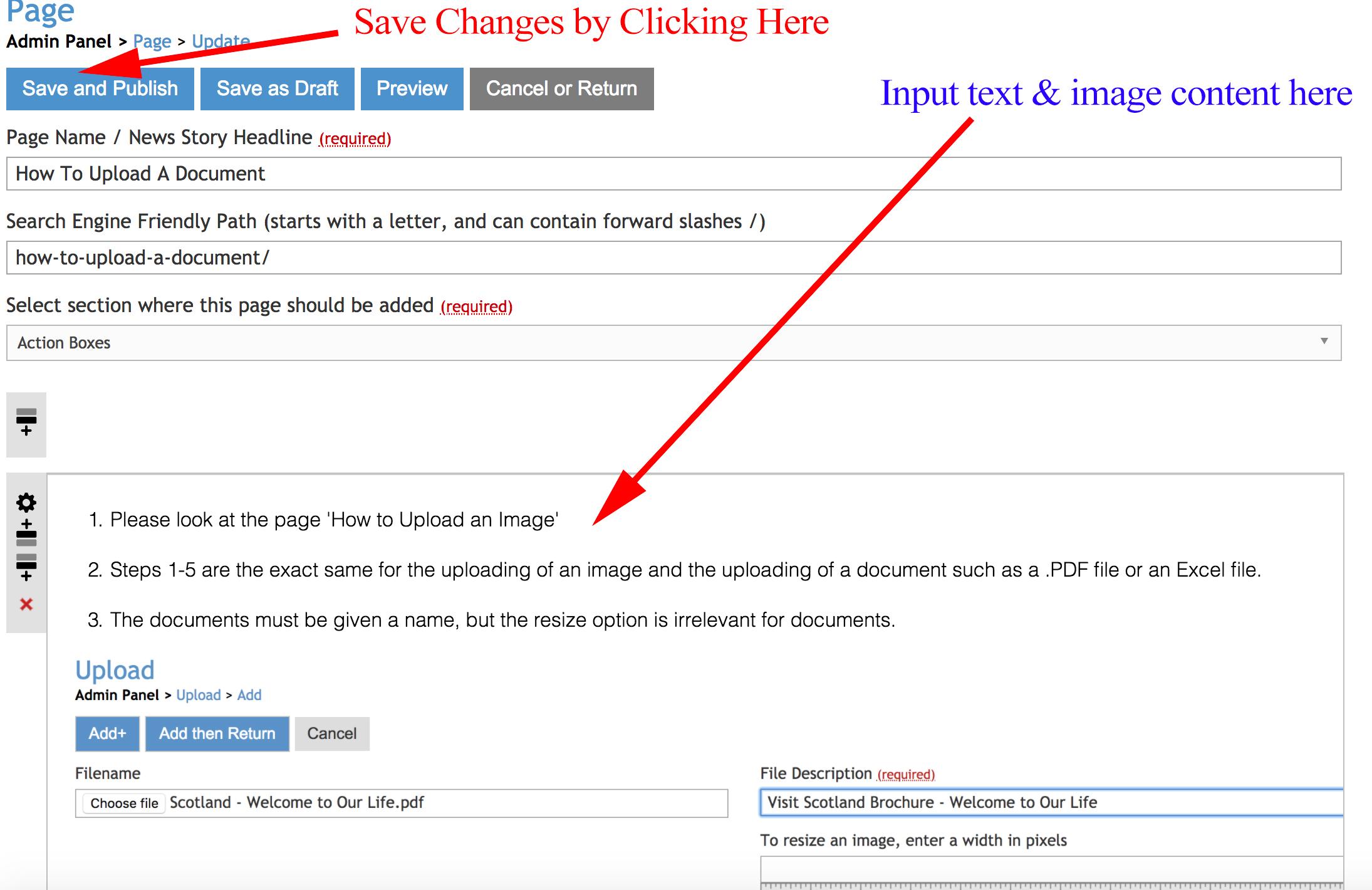
- The coloured boxes you see below are known as 'Action Boxes'. These are a very handy navigational tool that will be present on every page on your website. (The average number of Action Boxes on a website is 4-5)
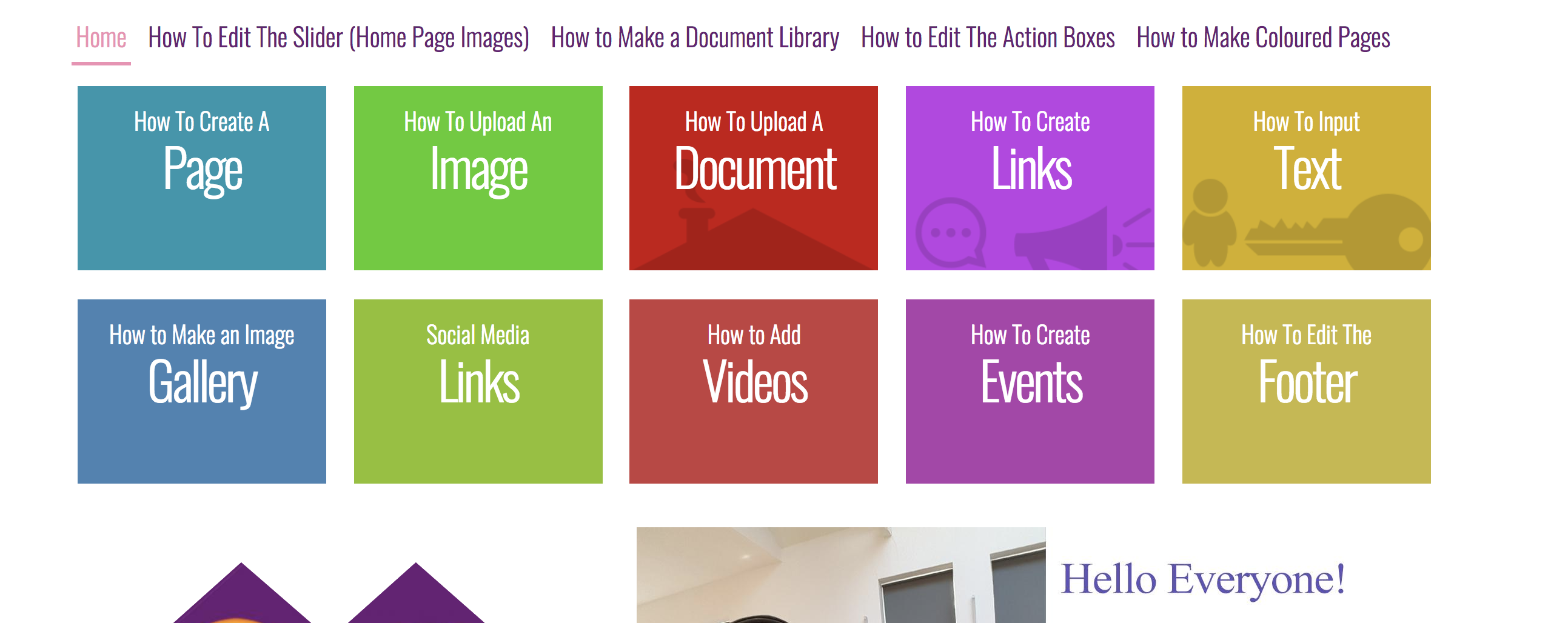
- Step 1: If you want to create a new Action box, or edit one that is already there, go to - 'Pages', then select 'Action Boxes' as highlighted below.
- Here you can edit the title of the action box, you can add content directly onto the action box page, select another page to link it to, either externally or internally on your website.
'
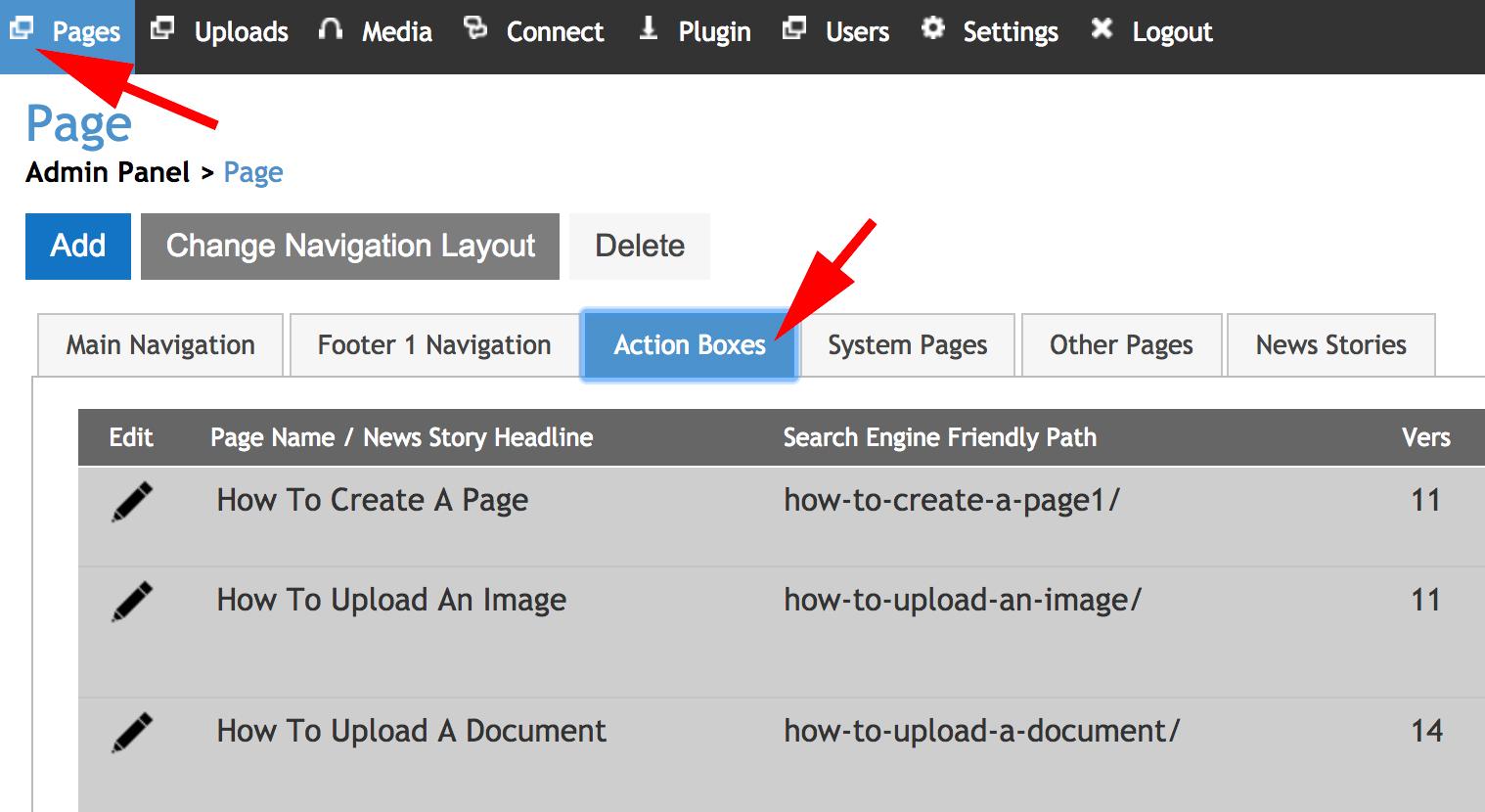
- Step 2: Ensure that 'Action Boxes' is the selected option from the dropdown 'Select section where this page should be added'
- See the highlighted section below (on the right) for where to choose pages that you want the action box to link to.
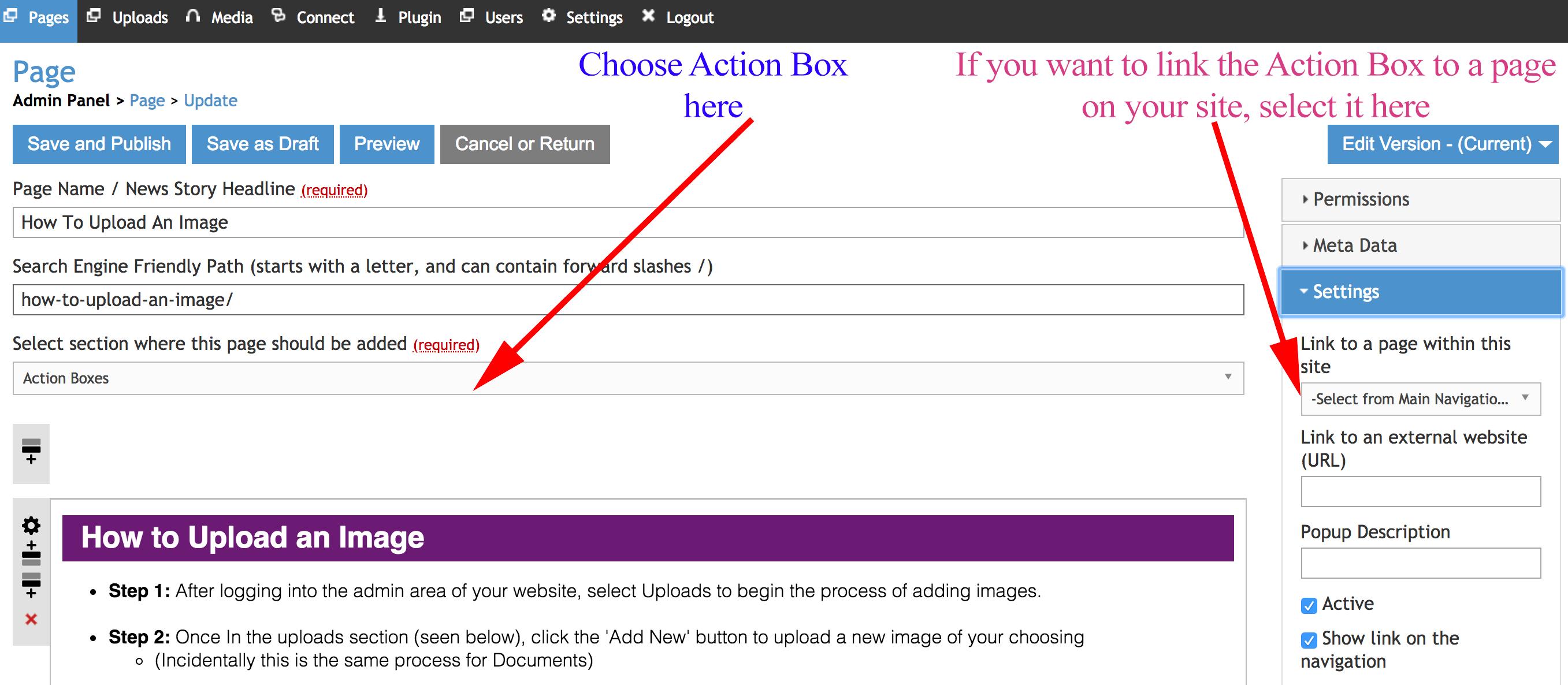
- Step 3: If you are putting content (text, images, etc.) onto the action box page then select the content box and put it in there. (Highlighted below)
- To finish and save your changes, select 'Save and Publish', as highlighted below.