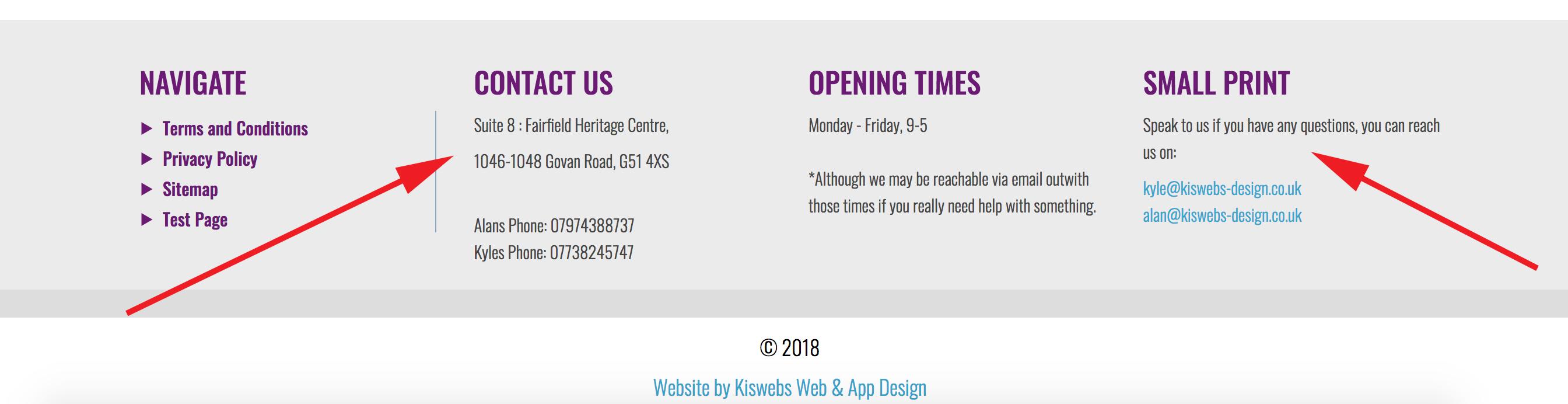
- The image below, and the section you see if you scroll to the bottom of the website, is known as the 'Footer' area.
- The footer area is often used as a place for putting contact information so it is always on every page.
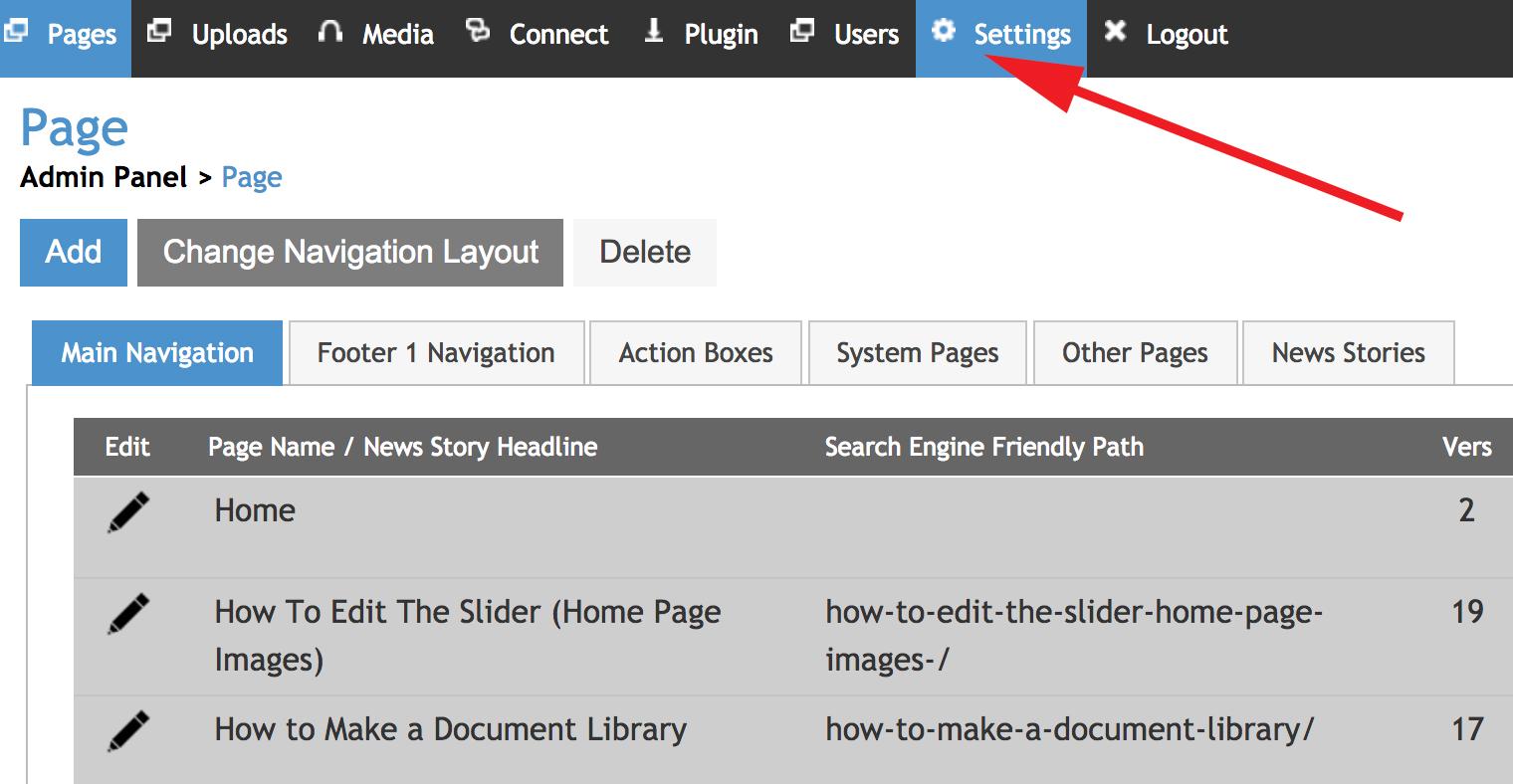
- Step 1: When you have logged into the admin area, select the 'Settings' tab (highlighted below).
- Step 2: Once in the 'Settings' section, select the 'Footer' section highlighted below on the left.
- This will take you to the section where you can edit the text of the footer.
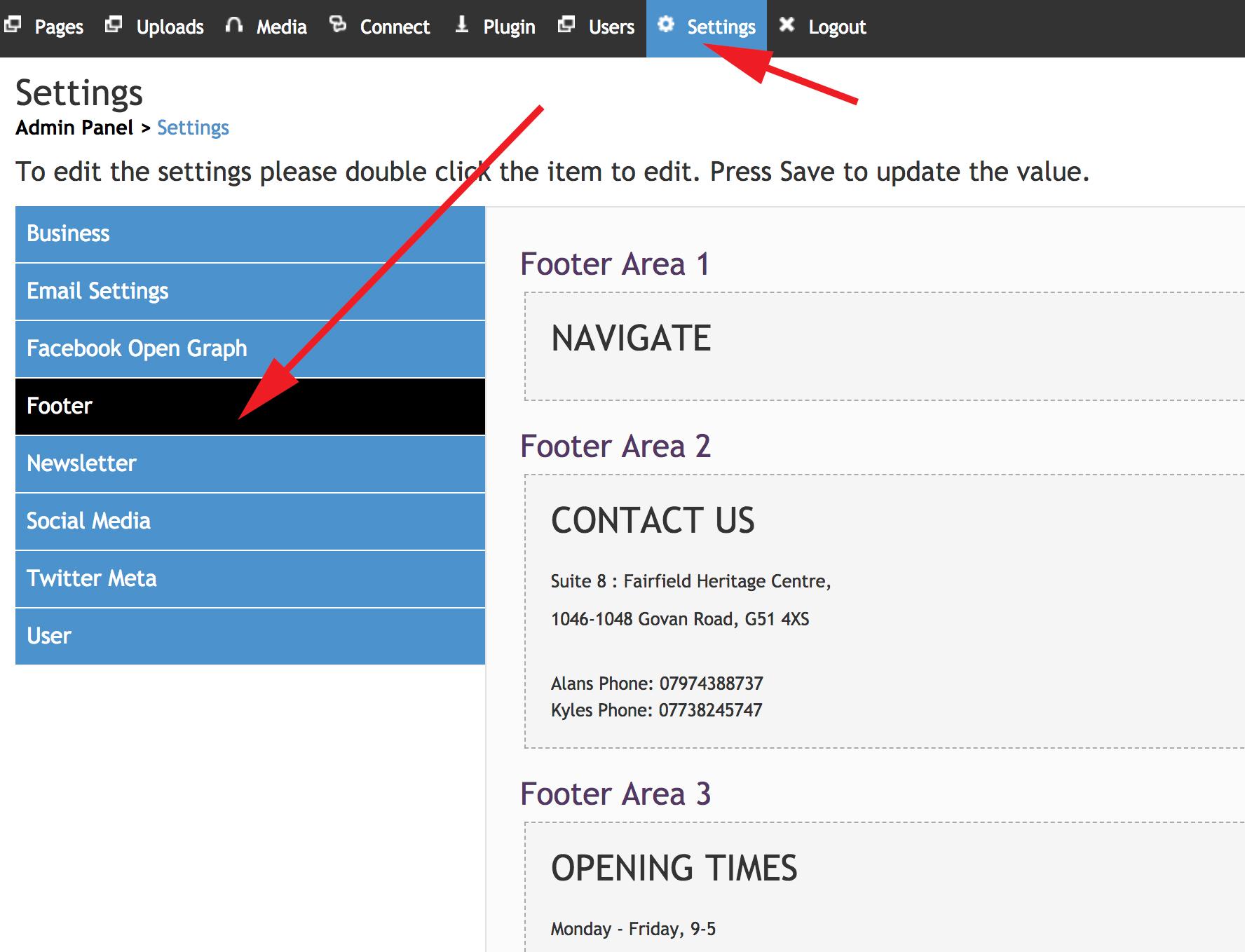
- Step 3: Click within the content box to be able to edit the footer.
- Once you have finished the text for the section, select the 'Save' button.


